StyleGAN2 + CLIP Guided Diffusion
StyleGAN and CLIP + Guided Diffusion are two different tools for generating images, each with their own relative strengths and weaknesses. This is an experiment in pairing the two to get a result that’s better than using one or the other.
What does StyleGAN do? It takes a set of images and produces novel images that belong to the same class. It’s most successful when the image set is relatively uniform, such as faces, flowers, landscapes, etc, where the same features reoccur in every instance of the class. When the image set becomes to diverse, such as this set of architectural drawings, the results are more abstract. Even with abstract results, the compositions are still striking.
What does CLIP + Guided Diffusion do? CLIP (Contrastive Language-Image Pretraining) is a text-guide, where the user inputs a prompt, and the image is influenced by the text description. Diffusion models can be thought of as an additive process where random noise is added to an image, and the model interprets the noise into a rational image. These models tend to produce a wider range of results than adversarial GAN models.
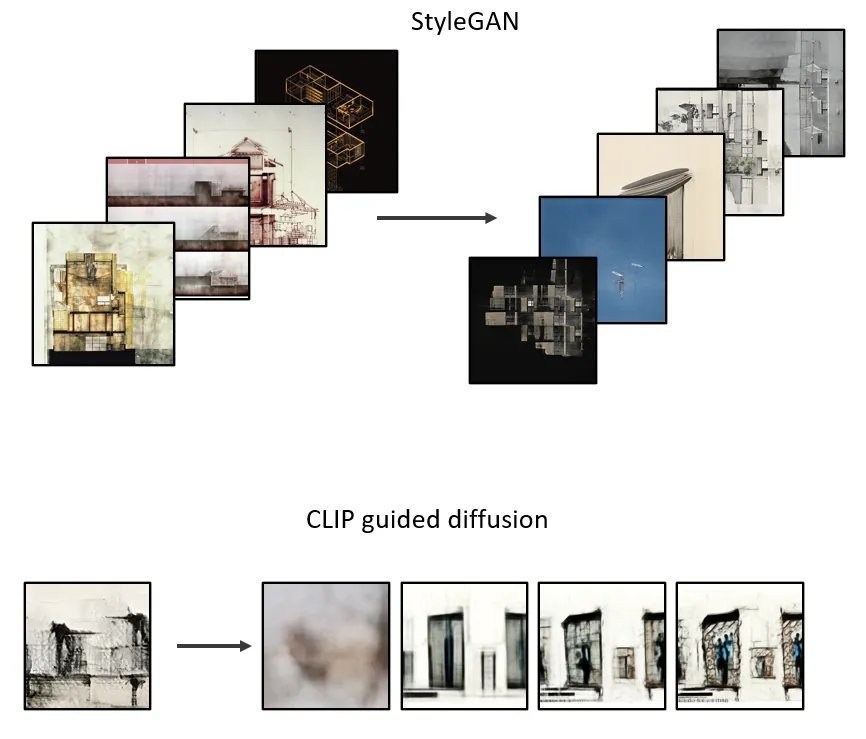
The goal is to keep the striking and abstract compositions from StyleGAN, and then feed those results into a Guided Diffusion model for a short time, so the original image gains some substance or character while ‘painting over’ some of the artifacts that give away the image as a coming from StyleGAN.
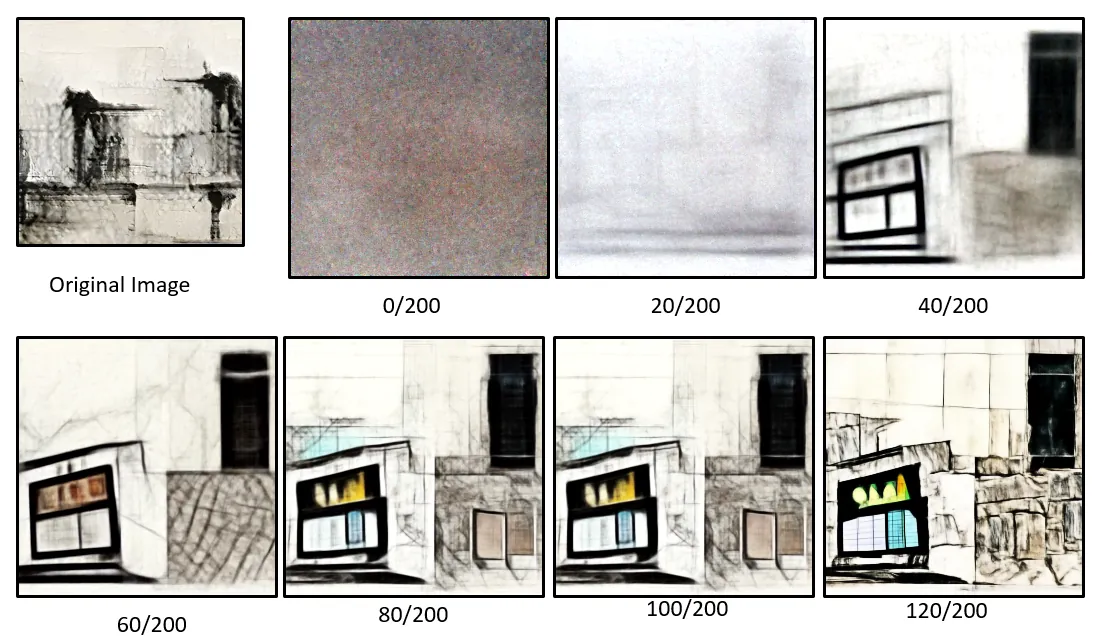
This is a typical Guided Diffusion process from beginning to end. Gaussian noise is added to an image, and then the image is de-noised, imagining new objects. This de-noising process continues, adding definition and detail to the objects imagined by the model.
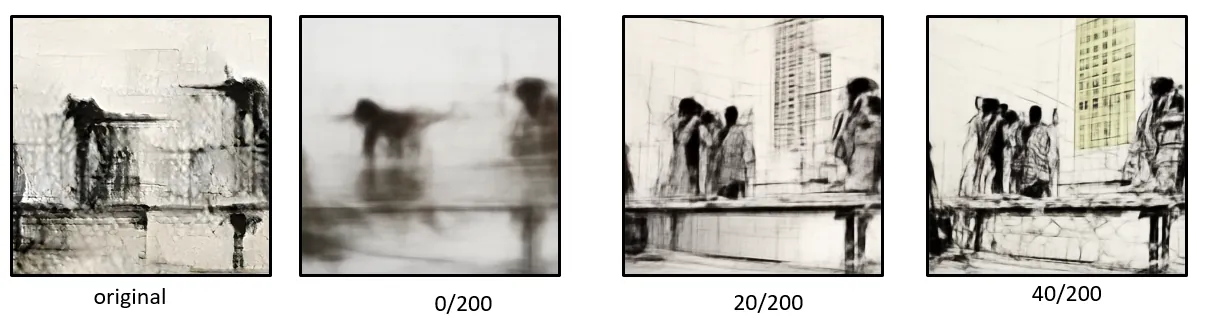
The diffusion model can start with an input image, skipping some of the early steps of the model. This way, the final image retains the broad strokes of the original input image.
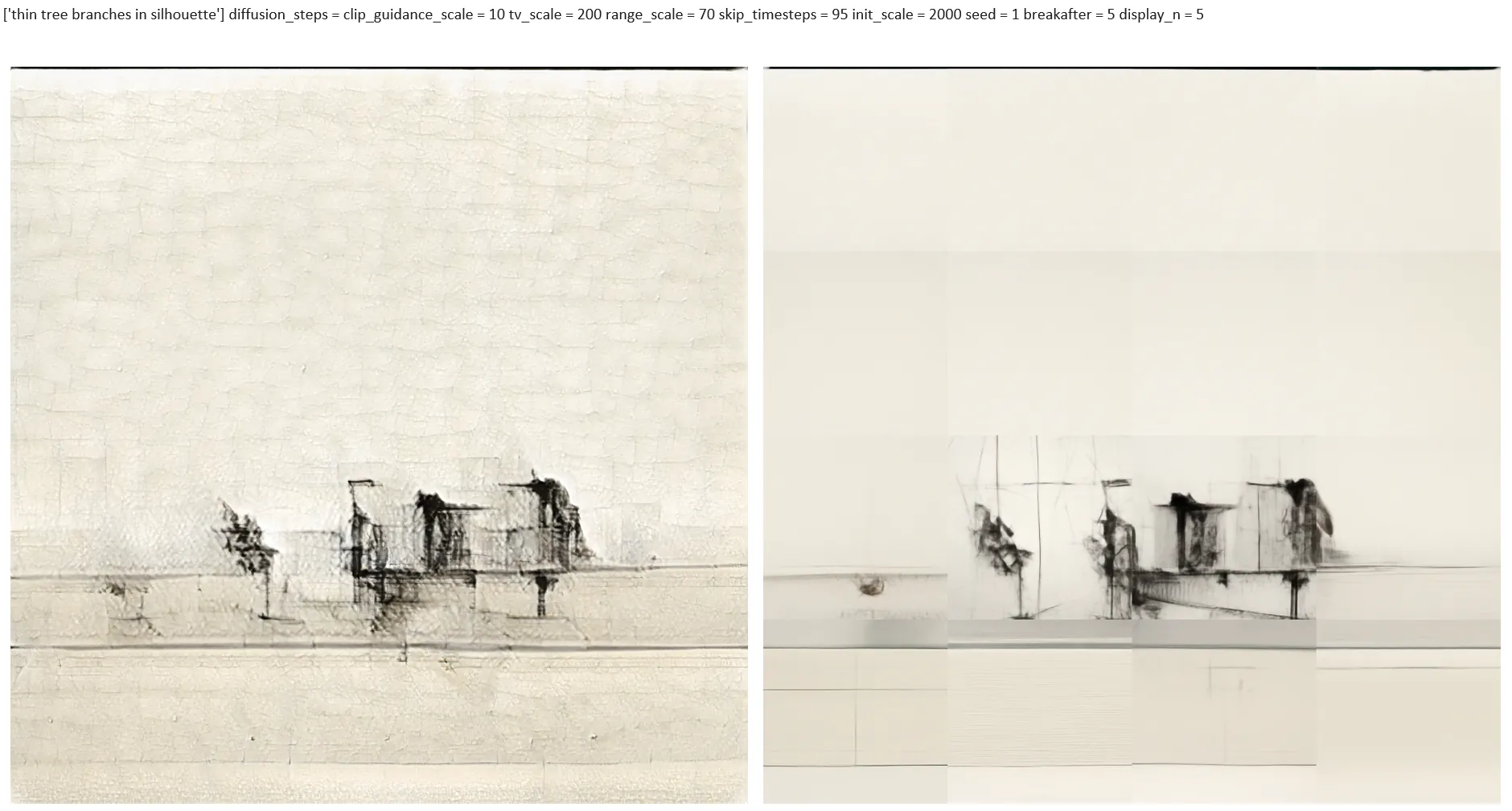
The image on the left is the output from a StyleGAN model, trained on an image set of architectural drawings. This original image was split into 16 segments, each of which were processed with CLIP + Guided Diffusion. The overall composition remains intact, while the diffusion model re-renders each block of the original image, taking away the texture and artifacts from the original. The result is a higher resolution image than the original. The downside is the inconsistency of splitting the image into 16 sections.
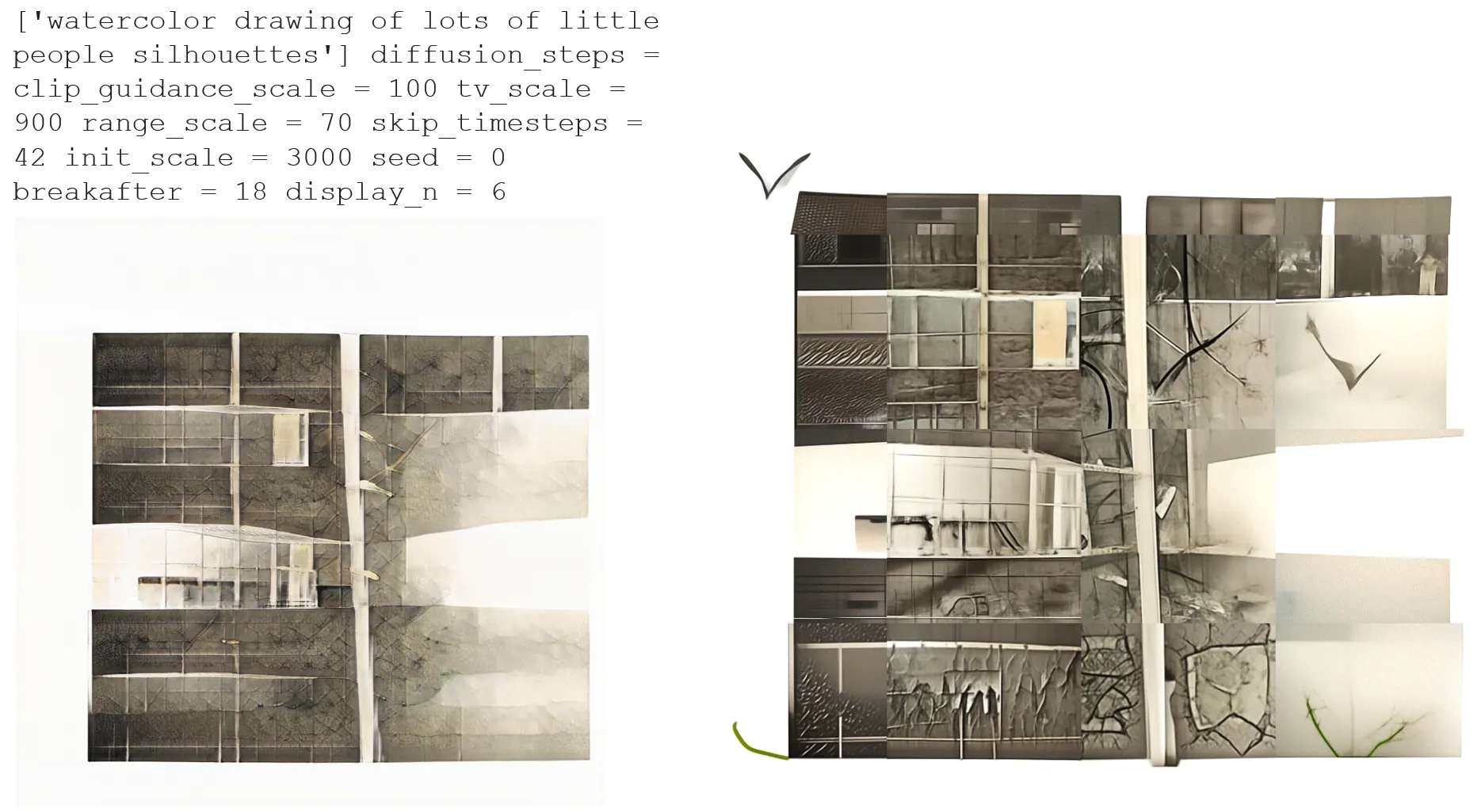
This is another example of splitting an original StyleGAN image into 16 squares, and re-rendering in CLIP + Guided Diffusion. I was hoping the guided diffusion model would add more definition and substance to the original. I suppose it did, but it lacks consistency and realism.